Introduction
Uninstallation
You can uninstall GIAnalyzer like any other program.
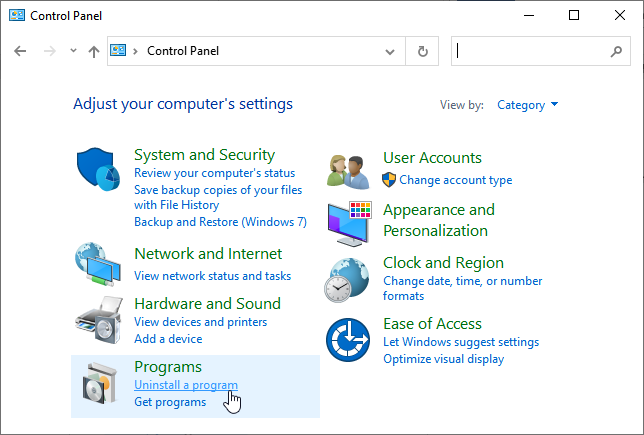
- Open Control Panel > Programs section > Click Uninstall a program > A list of all programs installed on your computer will open
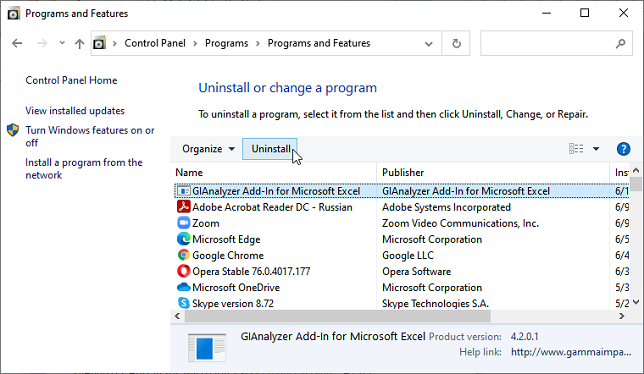
- Find and select GIAnalyzer Add-in for Microsoft Excel > Click the Uninstall button above the list of programs > OK > Done, GIAnalyzer is removed from your computer.